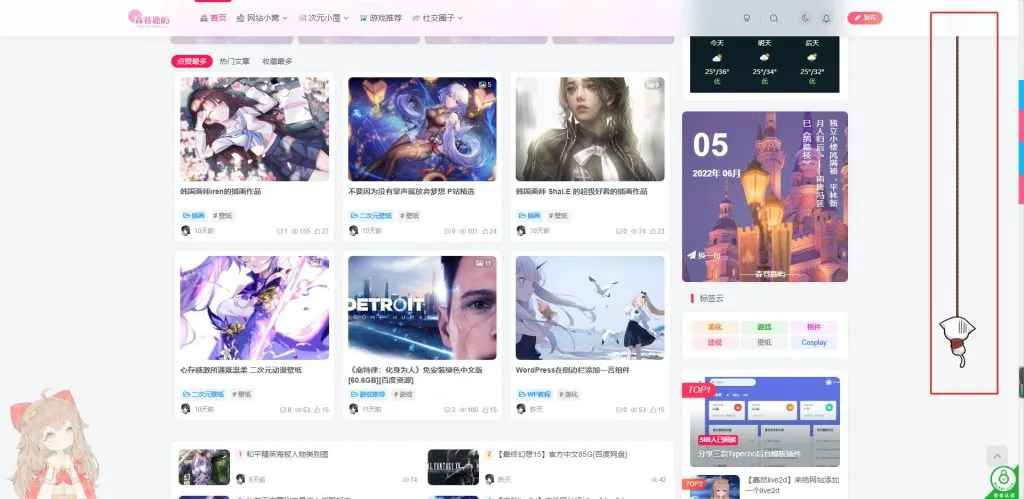
今天通过别的资源网了解到森鹿语,这个站点每一个美化都恰到好处,没有像别的站点一样花里胡哨,让人的第一印象十分的舒适,既然来到了这里,那我也留下点什么东西吧,证明这里也是有我的脚印的(●’◡’●)
这里教大家如何使用HTML、CSS、JS三个文件制作一款简洁的个人主页

首先我们在我们电脑的桌面创建一个记事本文件,输入下面的代码,并重命名为index.html
<!-- Created By 李初一 -->
<html lang="en">
<head>
    <meta charset="UTF-8">
    <meta name="viewport" content="width=device-width, initial-scale=1.0">
    <title>李初一网络科技工作室</title>
    <link rel="stylesheet" href="style.css">
    <link rel="stylesheet" href="https://cdnjs.cloudflare.com/ajax/libs/font-awesome/5.15.3/css/all.min.css"/>
    <script src="https://code.jquery.com/jquery-3.5.1.min.js"></script>
    <script src="https://cdnjs.cloudflare.com/ajax/libs/typed.js/2.0.11/typed.min.js"></script>
    <script src="https://cdnjs.cloudflare.com/ajax/libs/waypoints/4.0.1/jquery.waypoints.min.js"></script>
    <script src="https://cdnjs.cloudflare.com/ajax/libs/OwlCarousel2/2.3.4/owl.carousel.min.js"></script>
    <link rel="stylesheet" href="https://cdnjs.cloudflare.com/ajax/libs/OwlCarousel2/2.3.4/assets/owl.carousel.min.css"/>
</head>
<body>
    <div class="scroll-up-btn">
        <i class="fas fa-angle-up"></i>
    </div>
    <nav class="navbar">
        <div class="max-width">
            <div class="logo"><a href="https://alacg.cc">Zy_<span>李初一</span></a></div>
            <ul class="menu">
                <li><a href="#home" class="menu-btn">首页</a></li>
                <li><a href="#about" class="menu-btn">关于</a></li>
                <li><a href="#services" class="menu-btn">服务</a></li>
                <li><a href="#skills" class="menu-btn">技能</a></li>
                <li><a href="#teams" class="menu-btn">团队</a></li>
                <li><a href="#contact" class="menu-btn">联系</a></li>
            </ul>
            <div class="menu-btn">
                <i class="fas fa-bars"></i>
            </div>
        </div>
    </nav>

    <!-- home section start -->
    <section class="home" id="home">
        <div class="max-width">
            <div class="home-content">
                <div class="text-1">你好, 我的名字是</div>
                <div class="text-2">李初一</div>
                <div class="text-3">我是一个 <span class="typing"></span></div>
                <a href="https://t.me/Zy_Lcy">Telegram联系</a>
            </div>
        </div>
    </section>

    <!-- about section start -->
    <section class="about" id="about">
        <div class="max-width">
            <h2 class="title">About me</h2>
            <div class="about-content">
                <div class="column left">
                    <img src="img/login.jpg" alt="">
                </div>
                <div class="column right">
                    <div class="text">李初一 Is <span class="typing-2"></span></div>
                    <p>不久前还只是一个失业农民工.现在还只是一只喜欢动漫和文学的学生党.不久以后将是又一个人生迷茫的旅行者.</p>
                    <a href="https://www.zyw.one">前往博客</a>
                </div>
            </div>
        </div>
    </section>

    <!-- services section start -->
    <section class="services" id="services">
        <div class="max-width">
            <h2 class="title">我的专长</h2>
            <div class="serv-content">
                <div class="card">
                    <div class="box">
                        <i class="fas fa-paint-brush"></i>
                        <div class="text">Web 设计</div>
                        <p>极简美学,美化你的站点</p>
                    </div>
                </div>
                <div class="card">
                    <div class="box">
                        <i class="fas fa-chart-line"></i>
                        <div class="text">广告</div>
                        <p>为各大站长提供有效帮助</p>
                    </div>
                </div>
                <div class="card">
                    <div class="box">
                        <i class="fas fa-code"></i>
                        <div class="text">应用程序设计</div>
                        <p>经验丰富,定制属于你的程序</p>
                    </div>
                </div>
               </div>
            </div>
        </div>
    </section>

    <!-- skills section start -->
    <section class="skills" id="skills">
        <div class="max-width">
            <h2 class="title">技能</h2>
            <div class="skills-content">
                <div class="column left">
                    <div class="text">About Skill</div>
                    <p>2019,第一次接触是C/C++,在拥挤的实验室</p>

                    <p>2020,三月份在寝室迷上了网络游戏</p>

                    <p>九月份开始学习到Java</p>

                    <p>2021,年初的时候摸了摸Android,觉得稀奇有趣</p>

                    <p>剩下的月份我在看JavaWeb</p>

                    <p>2022,接触到WordPress,兴趣开始转到前端和脚本语言</p>

                    <p>上半年插科打诨</p>

                    <p>下半年开始学习H5,CSS3,JS</p>

                    <p>现在正在学习前端工程化技术</p>

                    <p>喜欢UI,交互设计,觉得UED是我坚持精确1个像素的动力</p>

                    <p>而未来...</p>

                    <p>想成为一名全栈工程师</p>
                    <a href="https://www.zyw.one">了解更多</a>
                </div>
                <div class="column right">
                    <div class="bars">
                        <div class="info">
                            <span>HTML</span>
                            <span>90%</span>
                        </div>
                        <div class="line html"></div>
                    </div>
                    <div class="bars">
                        <div class="info">
                            <span>CSS</span>
                            <span>60%</span>
                        </div>
                        <div class="line css"></div>
                    </div>
                    <div class="bars">
                        <div class="info">
                            <span>JavaScript</span>
                            <span>80%</span>
                        </div>
                        <div class="line js"></div>
                    </div>
                    <div class="bars">
                        <div class="info">
                            <span>PHP</span>
                            <span>50%</span>
                        </div>
                        <div class="line php"></div>
                    </div>
                    <div class="bars">
                        <div class="info">
                            <span>MySQL</span>
                            <span>70%</span>
                        </div>
                        <div class="line mysql"></div>
                    </div>
                </div>
            </div>
        </div>
    </section>

    <!-- teams section start -->
    <section class="teams" id="teams">
        <div class="max-width">
            <h2 class="title">团队成员</h2>
            <div class="carousel owl-carousel">
                <div class="card">
                    <div class="box">
                        <img src="https://q1.qlogo.cn/g?b=qq&nk=82719519&s=640" alt="">
                        <div class="text">李初一</div>
                        <p>摆烂王</p>
                    </div>
                </div>
                <div class="card">
                    <div class="box">
                        <img src="https://q1.qlogo.cn/g?b=qq&nk=296258507&s=640" alt="">
                        <div class="text">嘉佳</div>
                        <p>神之画饼能手</p>
                    </div>
                </div>
                <div class="card">
                    <div class="box">
                        <img src="https://q1.qlogo.cn/g?b=qq&nk=10001&s=640" alt="">
                        <div class="text">小马哥</div>
                        <p>团队谋划及资金赞助</p>
                    </div>
                </div>
                <div class="card">
                    <div class="box">
                        <img src="https://q1.qlogo.cn/g?b=qq&nk=2968624464&s=640" alt="">
                        <div class="text">爆爆</div>
                        <p>跟我一样帅</p>
                    </div>
                </div>
                <div class="card">
                    <div class="box">
                        <img src="https://q1.qlogo.cn/g?b=qq&nk=1925512109&s=640" alt="">
                        <div class="text">锤子</div>
                        <p>DUANG</p>
                    </div>
                </div>
            </div>
        </div>
    </section>
    <!-- contact section start -->
    <section class="contact" id="contact">
        <div class="max-width">
            <h2 class="title">联系</h2>
            <div class="contact-content">
                <div class="column left">
                    <div class="text">保持联系</div>
                    <p>所以,考虑帮助他会很痛苦。他们的尊严被打破了。谁知道我们生活中没有痛苦的真相?</p>
                    <div class="icons">
                        <div class="row">
                            <i class="fas fa-user"></i>
                            <div class="info">
                                <div class="head">李初一网络科技工作室</div>
                                <div class="sub-title">李初一</div>
                            </div>
                        </div>
                        <div class="row">
                            <i class="fas fa-map-marker-alt"></i>
                            <div class="info">
                                <div class="head">地址</div>
                                <div class="sub-title">湖南, 长沙</div>
                            </div>
                        </div>
                        <div class="row">
                            <i class="fas fa-envelope"></i>
                            <div class="info">
                                <div class="head">Email</div>
                                <div class="sub-title">82719519@qq.com</div>
                            </div>
                        </div>
                    </div>
                </div>
<!-- 这里可以自行引入css代码替换链接为按钮 -->
        <div class="column left">
                    <div class="text">联系方式</div>
                    <p>以下是各种联系方式及途径。推荐Telegram方式进行联系。如果没有及时回复那就是在对抗路</p>
                    <div class="icons">
                        <div class="row">
                            <div class="info">
                                <div class="head">Telegram联系</div><a href="https://t.me/Zy_Lcy">前往Telegram</a>
                            </div>
                        </div>
                        <div class="row">
                            <div class="info">
                                <div class="head">Twitter联系</div><a href="https://Twitter/Zy_Lcy">前往Twitter</a>
                            </div>
                        </div>
                        <div class="row">
                            <div class="info">
                                <div class="head">Facebook联系</div><a href="https://Facebook/Zy_Lcy">前往Facebook</a>
    </section>

    <!-- footer section start -->
    <footer>
        <span>Created By <a href="https://www.zyw.one">李初一网络科技工作室</a> | <span class="far fa-copyright"></span> 2022 All rights reserved.</span>
    </footer>

    <script src="script.js"></script>
</body>
</html>
完成这一步之后我们另外再新建一个文件,导入下方代码并重命名为style.css
/*  导入谷歌字体 */@import url('https://fonts.googleapis.com/css2?family=Poppins:wght@400;500;600;700&family=Ubuntu:wght@400;500;700&display=swap');

*{
    margin: 0;
    padding: 0;
    box-sizing: border-box;
    text-decoration: none;
}
html{
    scroll-behavior: smooth;
}

/* custom scroll bar */::-webkit-scrollbar {
    width: 10px;
}
::-webkit-scrollbar-track {
    background: #f1f1f1;
}
::-webkit-scrollbar-thumb {
    background: #888;
}

::-webkit-scrollbar-thumb:hover {
    background: #555;
}

/* 所有类似的内容样式代码 */section{
    padding: 100px 0;
}
.max-width{
    max-width: 1300px;
    padding: 0 80px;
    margin: auto;
}
.about, .services, .skills, .teams, .contact, footer{
    font-family: 'Poppins', sans-serif;
}
.about .about-content,
.services .serv-content,
.skills .skills-content,
.contact .contact-content{
    display: flex;
    flex-wrap: wrap;
    align-items: center;
    justify-content: space-between;
}
section .title{
    position: relative;
    text-align: center;
    font-size: 40px;
    font-weight: 500;
    margin-bottom: 60px;
    padding-bottom: 20px;
    font-family: 'Ubuntu', sans-serif;
}
section .title::before{
    content: "";
    position: absolute;
    bottom: 0px;
    left: 50%;
    width: 180px;
    height: 3px;
    background: #111;
    transform: translateX(-50%);
}
section .title::after{
    position: absolute;
    bottom: -8px;
    left: 50%;
    font-size: 20px;
    color: crimson;
    padding: 0 5px;
    background: #fff;
    transform: translateX(-50%);
}

/* 导航栏样式 */.navbar{
    position: fixed;
    width: 100%;
    z-index: 999;
    padding: 30px 0;
    font-family: 'Ubuntu', sans-serif;
    transition: all 0.3s ease;
}
.navbar.sticky{
    padding: 15px 0;
    background: crimson;
}
.navbar .max-width{
    display: flex;
    align-items: center;
    justify-content: space-between;
}
.navbar .logo a{
    color: #fff;
    font-size: 35px;
    font-weight: 600;
}
.navbar .logo a span{
    color: crimson;
    transition: all 0.3s ease;
}
.navbar.sticky .logo a span{
    color: #fff;
}
.navbar .menu li{
    list-style: none;
    display: inline-block;
}
.navbar .menu li a{
    display: block;
    color: #fff;
    font-size: 18px;
    font-weight: 500;
    margin-left: 25px;
    transition: color 0.3s ease;
}
.navbar .menu li a:hover{
    color: crimson;
}
.navbar.sticky .menu li a:hover{
    color: #fff;
}

/* 菜单btn样式 */.menu-btn{
    color: #fff;
    font-size: 23px;
    cursor: pointer;
    display: none;
}
.scroll-up-btn{
    position: fixed;
    height: 45px;
    width: 42px;
    background: crimson;
    right: 30px;
    bottom: 10px;
    text-align: center;
    line-height: 45px;
    color: #fff;
    z-index: 9999;
    font-size: 30px;
    border-radius: 6px;
    border-bottom-width: 2px;
    cursor: pointer;
    opacity: 0;
    pointer-events: none;
    transition: all 0.3s ease;
}
.scroll-up-btn.show{
    bottom: 30px;
    opacity: 1;
    pointer-events: auto;
}
.scroll-up-btn:hover{
    filter: brightness(90%);
}


/* 主页背景图片 */.home{
    display: flex;
    background: url("img/banner.jpg") no-repeat center;
    height: 100vh;
    color: #fff;
    min-height: 500px;
    background-size: cover;
    background-attachment: fixed;
    font-family: 'Ubuntu', sans-serif;
}
.home .max-width{
  width: 100%;
  display: flex;
}
.home .max-width .row{
  margin-right: 0;
}
.home .home-content .text-1{
    font-size: 27px;
}
.home .home-content .text-2{
    font-size: 75px;
    font-weight: 600;
    margin-left: -3px;
}
.home .home-content .text-3{
    font-size: 40px;
    margin: 5px 0;
}
.home .home-content .text-3 span{
    color: crimson;
    font-weight: 500;
}
.home .home-content a{
    display: inline-block;
    background: crimson;
    color: #fff;
    font-size: 25px;
    padding: 12px 36px;
    margin-top: 20px;
    font-weight: 400;
    border-radius: 6px;
    border: 2px solid crimson;
    transition: all 0.3s ease;
}
.home .home-content a:hover{
    color: crimson;
    background: none;
}

/* 关于页面样式 */.about .title::after{
    content: "who i am";
}
.about .about-content .left{
    width: 45%;
}
.about .about-content .left img{
    height: 400px;
    width: 400px;
    object-fit: cover;
    border-radius: 6px;
}
.about .about-content .right{
    width: 55%;
}
.about .about-content .right .text{
    font-size: 25px;
    font-weight: 600;
    margin-bottom: 10px;
}
.about .about-content .right .text span{
    color: crimson;
}
.about .about-content .right p{
    text-align: justify;
}
.about .about-content .right a{
    display: inline-block;
    background: crimson;
    color: #fff;
    font-size: 20px;
    font-weight: 500;
    padding: 10px 30px;
    margin-top: 20px;
    border-radius: 6px;
    border: 2px solid crimson;
    transition: all 0.3s ease;
}
.about .about-content .right a:hover{
    color: crimson;
    background: none;
}

/* 服务部分样式 */.services, .teams{
    color:#fff;
    background: #111;
}
.services .title::before,
.teams .title::before{
    background: #fff;
}
.services .title::after,
.teams .title::after{
    background: #111;
    content: "what i provide";
}
.services .serv-content .card{
    width: calc(33% - 20px);
    background: #222;
    text-align: center;
    border-radius: 6px;
    padding: 50px 25px;
    cursor: pointer;
    transition: all 0.3s ease;
}
.services .serv-content .card:hover{
    background: crimson;
}
.services .serv-content .card .box{
    transition: all 0.3s ease;
}
.services .serv-content .card:hover .box{
    transform: scale(1.05);
}
.services .serv-content .card i{
    font-size: 50px;
    color: crimson;
    transition: color 0.3s ease;
}
.services .serv-content .card:hover i{
    color: #fff;
}
.services .serv-content .card .text{
    font-size: 25px;
    font-weight: 500;
    margin: 10px 0 7px 0;
}

/* 技能部分样式 */
.skills .title::after{
    content: "what i know";
}
.skills .skills-content .column{
    width: calc(50% - 30px);
}
.skills .skills-content .left .text{
    font-size: 20px;
    font-weight: 600;
    margin-bottom: 10px;
}
.skills .skills-content .left p{
    text-align: justify;
}
.skills .skills-content .left a{
    display: inline-block;
    background: crimson;
    color: #fff;
    font-size: 18px;
    font-weight: 500;
    padding: 8px 16px;
    margin-top: 20px;
    border-radius: 6px;
    border: 2px solid crimson;
    transition: all 0.3s ease;
}
.skills .skills-content .left a:hover{
    color: crimson;
    background: none;
}
.skills .skills-content .right .bars{
    margin-bottom: 15px;
}
.skills .skills-content .right .info{
    display: flex;
    margin-bottom: 5px;
    align-items: center;
    justify-content: space-between;
}
.skills .skills-content .right span{
    font-weight: 500;
    font-size: 18px;
}
.skills .skills-content .right .line{
    height: 5px;
    width: 100%;
    background: lightgrey;
    position: relative;
}
.skills .skills-content .right .line::before{
    content: "";
    position: absolute;
    height: 100%;
    left: 0;
    top: 0;
    background: crimson;
}
.skills-content .right .html::before{
    width: 90%;
}
.skills-content .right .css::before{
    width: 60%;
}
.skills-content .right .js::before{
    width: 80%;
}
.skills-content .right .php::before{
    width: 50%;
}
.skills-content .right .mysql::before{
    width: 70%;
}

/* 团队部分样式 */.teams .title::after{
    content: "who with me";
}
.teams .carousel .card{
    background: #222;
    border-radius: 6px;
    padding: 25px 35px;
    text-align: center;
    overflow: hidden;
    transition: all 0.3s ease;
}
.teams .carousel .card:hover{
    background: crimson;
}
.teams .carousel .card .box{
    display: flex;
    flex-direction: column;
    align-items: center;
    justify-content: center;
    transition: all 0.3s ease;
}
.teams .carousel .card:hover .box{
    transform: scale(1.05);
}
.teams .carousel .card .text{
    font-size: 25px;
    font-weight: 500;
    margin: 10px 0 7px 0;
}
.teams .carousel .card img{
    height: 150px;
    width: 150px;
    object-fit: cover;
    border-radius: 50%;
    border: 5px solid crimson;
    transition: all 0.3s ease;
}
.teams .carousel .card:hover img{
    border-color: #fff;
}
.owl-dots{
    text-align: center;
    margin-top: 20px;
}
.owl-dot{
    height: 13px;
    width: 13px;
    margin: 0 5px;
    outline: none!important;
    border-radius: 50%;
    border: 2px solid crimson!important;
    transition: all 0.3s ease;
}
.owl-dot.active{
    width: 35px;
    border-radius: 14px;
}
.owl-dot.active,
.owl-dot:hover{
    background: crimson!important;
}

/* 联系界面样式 */.contact .title::after{
    content: "get in touch";
}
.contact .contact-content .column{
    width: calc(50% - 30px);
}
.contact .contact-content .text{
    font-size: 20px;
    font-weight: 600;
    margin-bottom: 10px;
}
.contact .contact-content .left p{
    text-align: justify;
}
.contact .contact-content .left .icons{
    margin: 10px 0;
}
.contact .contact-content .row{
    display: flex;
    height: 65px;
    align-items: center;
}
.contact .contact-content .row .info{
    margin-left: 30px;
}
.contact .contact-content .row i{
    font-size: 25px;
    color: crimson;
}
.contact .contact-content .info .head{
    font-weight: 500;
}
.contact .contact-content .info .sub-title{
    color: #333;
}
.contact .right form .fields{
    display: flex;
}
.contact .right form .field,
.contact .right form .fields .field{
    height: 45px;
    width: 100%;
    margin-bottom: 15px;
}
.contact .right form .textarea{
    height: 80px;
    width: 100%;
}
.contact .right form .name{
    margin-right: 10px;
}
.contact .right form .field input,
.contact .right form .textarea textarea{
    height: 100%;
    width: 100%;
    border: 1px solid lightgrey;
    border-radius: 6px;
    outline: none;
    padding: 0 15px;
    font-size: 17px;
    font-family: 'Poppins', sans-serif;
    transition: all 0.3s ease;
}
.contact .right form .field input:focus,
.contact .right form .textarea textarea:focus{
    border-color: #b3b3b3;
}
.contact .right form .textarea textarea{
  padding-top: 10px;
  resize: none;
}
.contact .right form .button-area{
  display: flex;
  align-items: center;
}
.right form .button-area button{
  color: #fff;
  display: block;
  width: 160px!important;
  height: 45px;
  outline: none;
  font-size: 18px;
  font-weight: 500;
  border-radius: 6px;
  cursor: pointer;
  flex-wrap: nowrap;
  background: crimson;
  border: 2px solid crimson;
  transition: all 0.3s ease;
}
.right form .button-area button:hover{
  color: crimson;
  background: none;
}
/* 页脚部分样式 */footer{
    background: #111;
    padding: 15px 23px;
    color: #fff;
    text-align: center;
}
footer span a{
    color: crimson;
    text-decoration: none;
}
footer span a:hover{
    text-decoration: underline;
}


/* 响应媒体查询启动 */@media (max-width: 1104px) {
    .about .about-content .left img{
        height: 350px;
        width: 350px;
    }
}

@media (max-width: 991px) {
    .max-width{
        padding: 0 50px;
    }
}
@media (max-width: 947px){
    .menu-btn{
        display: block;
        z-index: 999;
    }
    .menu-btn i.active:before{
        content: "\f00d";
    }
    .navbar .menu{
        position: fixed;
        height: 100vh;
        width: 100%;
        left: -100%;
        top: 0;
        background: #111;
        text-align: center;
        padding-top: 80px;
        transition: all 0.3s ease;
    }
    .navbar .menu.active{
        left: 0;
    }
    .navbar .menu li{
        display: block;
    }
    .navbar .menu li a{
        display: inline-block;
        margin: 20px 0;
        font-size: 25px;
    }
    .home .home-content .text-2{
        font-size: 70px;
    }
    .home .home-content .text-3{
        font-size: 35px;
    }
    .home .home-content a{
        font-size: 23px;
        padding: 10px 30px;
    }
    .max-width{
        max-width: 930px;
    }
    .about .about-content .column{
        width: 100%;
    }
    .about .about-content .left{
        display: flex;
        justify-content: center;
        margin: 0 auto 60px;
    }
    .about .about-content .right{
        flex: 100%;
    }
    .services .serv-content .card{
        width: calc(50% - 10px);
        margin-bottom: 20px;
    }
    .skills .skills-content .column,
    .contact .contact-content .column{
        width: 100%;
        margin-bottom: 35px;
    }
}

@media (max-width: 690px) {
    .max-width{
        padding: 0 23px;
    }
    .home .home-content .text-2{
        font-size: 60px;
    }
    .home .home-content .text-3{
        font-size: 32px;
    }
    .home .home-content a{
        font-size: 20px;
    }
    .services .serv-content .card{
        width: 100%;
    }
}

@media (max-width: 500px) {
    .home .home-content .text-2{
        font-size: 50px;
    }
    .home .home-content .text-3{
        font-size: 27px;
    }
    .about .about-content .right .text,
    .skills .skills-content .left .text{
        font-size: 19px;
    }
    .contact .right form .fields{
        flex-direction: column;
    }
    .contact .right form .name,
    .contact .right form .email{
        margin: 0;
    }
    .right form .error-box{
       width: 150px;
    }
    .scroll-up-btn{
        right: 15px;
        bottom: 15px;
        height: 38px;
        width: 35px;
        font-size: 23px;
        line-height: 38px;
    }
}
完成这一步之后我们还需要一个JS文件,新建一个记事本文件导入下方代码并重命名为script.js
$(document).ready(function(){
    $(window).scroll(function(){
        // sticky navbar on scroll script
        if(this.scrollY > 20){
            $('.navbar').addClass("sticky");
        }else{
            $('.navbar').removeClass("sticky");
        }

        // scroll-up button show/hide script
        if(this.scrollY > 500){
            $('.scroll-up-btn').addClass("show");
        }else{
            $('.scroll-up-btn').removeClass("show");
        }
    });

    // slide-up script
    $('.scroll-up-btn').click(function(){
        $('html').animate({scrollTop: 0});
        // removing smooth scroll on slide-up button click
        $('html').css("scrollBehavior", "auto");
    });

    $('.navbar .menu li a').click(function(){
        // applying again smooth scroll on menu items click
        $('html').css("scrollBehavior", "smooth");
    });

    // toggle menu/navbar script
    $('.menu-btn').click(function(){
        $('.navbar .menu').toggleClass("active");
        $('.menu-btn i').toggleClass("active");
    });

    // typing text animation script
    var typed = new Typed(".typing", {
        strings: ["网络博主", "开发者", "博客主", "设计师", "自由职业者"],
        typeSpeed: 100,
        backSpeed: 60,
        loop: true
    });

    var typed = new Typed(".typing-2", {
        strings: ["网络博主", "开发者", "博客主", "设计师", "自由职业者"],
        typeSpeed: 100,
        backSpeed: 60,
        loop: true
    });

    // owl carousel script
    $('.carousel').owlCarousel({
        margin: 20,
        loop: true,
        autoplay: true,
        autoplayTimeOut: 2000,
        autoplayHoverPause: true,
        responsive: {
            0:{
                items: 1,
                nav: false
            },
            600:{
                items: 2,
                nav: false
            },
            1000:{
                items: 3,
                nav: false
            }
        }
    });
});
保存三个文件之后在你的桌面点击index.html文件就成功拥有了一款完全属于你自己的个人主页
这时候你会遇到以下几个问题:
1:背景图缺失
2:个人介绍头像图缺失
3:团队介绍里如何更改团队成员头像
4:首页文字跳动如何更换
5:源代码有没有安全隐患
我答:背景图及个人介绍位置的图片缺失是因为代码里使用的是本地文件,你所创建的代码本地并没有相应的文件名所调用,所以你需要创建一个文件夹并命名为img导入背景图及头像,背景图命名为banner.jpg,头像命名为login.jpg
关于团队介绍一栏的头像,原版是调用本地文件,但是我为了方便小白我把图片更改为外链模式,这里我放置的是QQ头像的链接,大家仅需更改QQ号即可
首页跳动文字在JS文件里修改,你只需更改中文或按照示例样式添加文字即可,代码无任何安全隐患,所有源代码都在上面
如果你要修改配色方案请修改CSS文件里color后面的颜色代码,当然其他的也是支持修改的,非常的简单,对于新手非常的友好
如果大家有不错的美化想法并成功实施可以在评论区交作业,欢迎大家使用本源代码以及对代码做出美化和修改